How NeatQueue Works
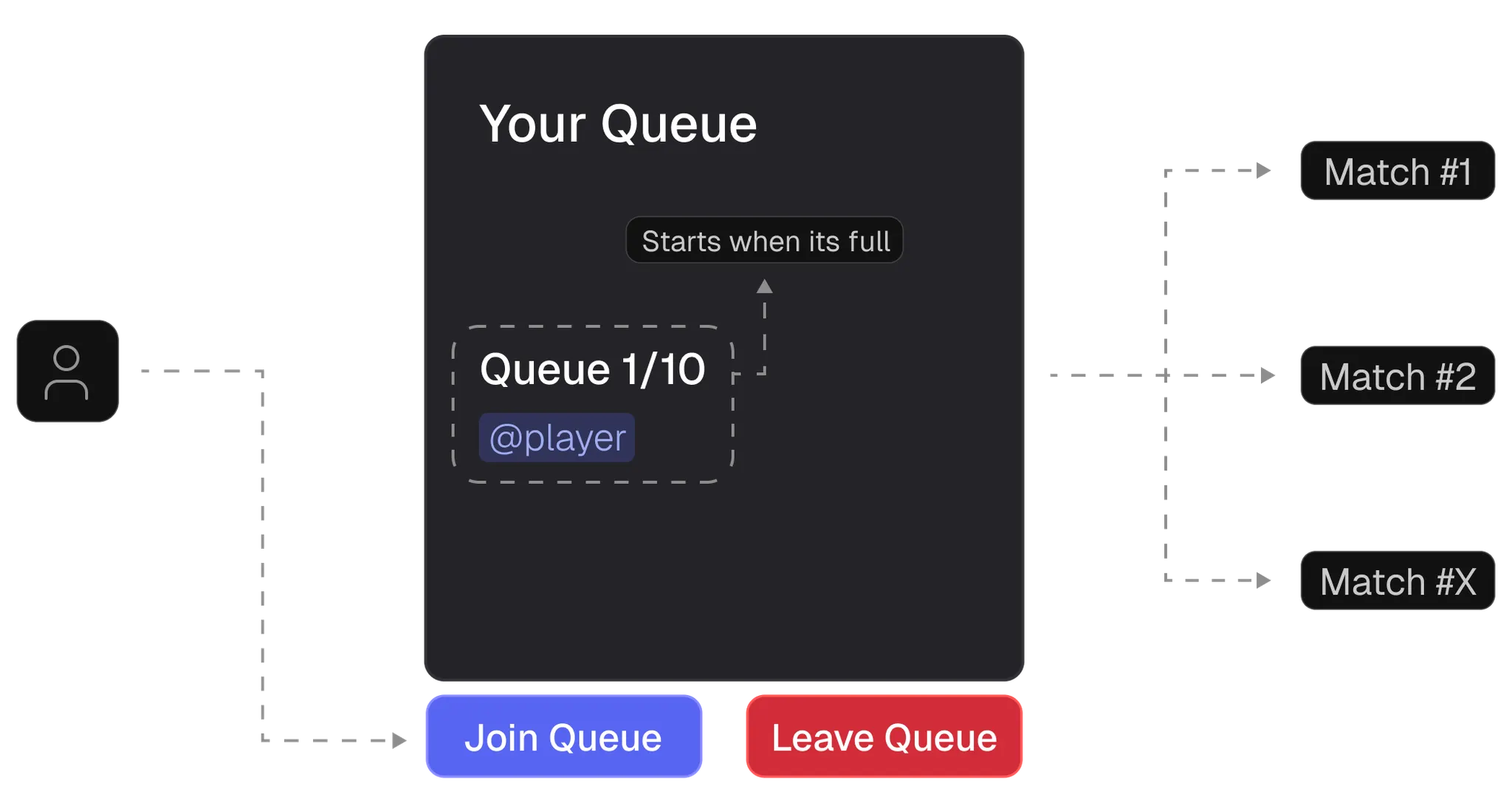
Illustrative example of NeatQueue workflow
Queue Lifecycle
When you create a queue, you can think of it as an entry point for creating games. This means you don't have to end or create a queue every time a game is played - the queue persists and can be used for multiple matches.
Joining a Queue
The way to join a queue is by clicking the Join Queue button. You will see your name on the queue embed message if anonymous queue is disabled. Then you will have to wait until the queue size is met.
The queue size depends on the size of the teams you've configured. When the size is met, the match will start and typically follows this flow:
- Queue Voice Channel is created - A temporary voice channel for the match
- Queue Text Channel is created - A dedicated text channel for match coordination
- Voting section begins - Players vote on team selection, maps, etc.
Match Flow
When all voting is complete, the bot will split members into teams based on the selected team method. Players can then start playing their game.
A voting message will be displayed in the Queue Channel where players can vote for the winner after the match completes.
Everything happens on DISCORD. NeatQueue is not a platform like FACEIT that will create and host games for you. It's a Discord-based queue management and stats tracking system that helps you organize your community's competitive matches.
After the Match
Once the match concludes and a winner is determined:
- Match results are posted to the results channel
- Player stats and MMR are updated
- Temporary channels are cleaned up
- Players are returned to the lobby channel (if configured)